
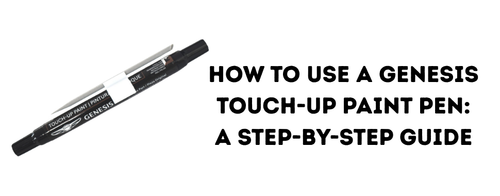
How to Use a Genesis Touch-Up Paint Pen: A Simple Guide for Fixing Chips & Scratches
Posted by Sydney Selleck on Jun 24th 2026
Even the most carefully maintained Genesis can pick up a rock chip, door ding, or minor scratch. Fortunately, the OEM Genesis Touch-Up Paint Pen makes it easy to repair small imperfections and help protect exposed metal from rust and corrosion. Designed to be color-matched to your vehicle's paint code using your VIN, it's one of the simplest ways to keep your Genesis looking its best.
What Comes in the Genesis Touch-Up Paint Pen Kit?
The Genesis Touch-Up Paint Pen features a convenient 2-in-1 design with color coat on one side and clear coat on the other. Each kit also includes a sanding stick to help prepare the damaged area before application. Simply provide your VIN when ordering to ensure an exact color match for your vehicle.
What You'll Need
Before you begin, gather:
- Genesis Touch-Up Paint Pen
- Clean microfiber towel
- Mild soap and water
Choose the Right Day for Touch-Up Paint
Before you start, timing matters. For the best results, apply touch-up paint on a mild, dry day with moderate temperatures.
Ideal conditions include:
- Overcast or partly cloudy weather
- Temperatures between 60°F and 80°F
- Low humidity
- A clean, shaded workspace
Avoid applying touch-up paint when:
- It's raining or snowing
- Temperatures are extremely hot or cold
- The vehicle is sitting in direct sunlight
- High winds may blow dust or debris onto the repair
Applying paint in extreme conditions can affect drying time, adhesion, and the overall appearance of the repair. If possible, work in a garage or covered area to help control the environment.
Step 1: Clean the Area Thoroughly
Wash the damaged area with soap and water to remove dirt and debris. Once dry, wipe the area with isopropyl alcohol to remove any remaining wax, grease, or contaminants.
A clean surface allows the paint to adhere properly and helps create a smoother repair. Even a small amount of dirt can affect the final appearance.
Step 2: Prepare the Paint Pen
Before applying paint, shake the pen thoroughly. This is especially important for metallic and pearl paint colors, which contain particles that need to be evenly distributed throughout the paint. Some paint professionals recommend shaking metallic colors for up to two minutes before use.
Test the pen on a piece of cardboard or paper before touching your vehicle.
Step 3: Apply Thin Layers of Paint
Using the paint tip, carefully apply a small amount of paint directly into the chip or scratch.
For the best results:
- Apply multiple thin coats instead of one heavy coat.
- Allow each coat to dry before applying another.
- Focus only on the damaged area.
- Dab paint into chips rather than brushing aggressively.
**If you're using a white paint pen, don't be discouraged if the repair isn't immediately visible. White touch-up paint often requires several applications to build proper coverage and may take longer to fully show its true color. Multiple thin coats will produce a better result than trying to cover the damage in a single application.
A common mistake is trying to cover the damage in one coat. Building coverage gradually typically creates a cleaner, more professional-looking repair.
Step 4: Allow the Paint to Dry
Let the color coat dry completely according to the product instructions before moving on to the clear coat.
If the repair still appears recessed, add another thin layer of paint and allow it to dry again.
Step 5: Apply the Clear Coat
Once the color coat has dried, use the clear coat side of the pen to seal the repair.
The clear coat helps:
- Protect the repair from weather exposure
- Add gloss and shine
- Improve durability
- Blend the repair more naturally with the surrounding finish
The Genesis Touch-Up Paint Pen conveniently includes both color and clear coat in a single tool, making the process quick and straightforward.
Tips for the Best Results
Use Your VIN for the Correct Color Match
Genesis offers numerous shades of white, black, gray, blue, and metallic finishes. Providing your VIN when ordering helps ensure you receive the correct factory paint color for your vehicle.
Take Your Time
The biggest mistake people make is applying too much paint at once. Building coverage gradually with multiple thin coats almost always produces a cleaner, more professional-looking repair.
Understand the Limitations
The touch-up paint pen is designed for small chips and scratches. While it can dramatically improve the appearance of minor damage, larger scratches, dents, or damaged clear coat may still require professional body shop repairs for a seamless finish.
It's also important to remember that older vehicles may have experienced some degree of paint fading from years of sun exposure. Even when using the correct factory paint code, the new touch-up paint may not be a perfect match to paint that has faded over time. In these cases, the repair will still help protect the surface and improve appearance, but slight color variations may be noticeable upon close inspection.
For newer vehicles or well-maintained finishes, the VIN-matched Genesis Touch-Up Paint Pen typically provides the closest possible factory color match.
Keep Your Genesis Looking Showroom Ready
From rock chips on the hood to scratches around door handles, the Genesis Touch-Up Paint Pen offers a convenient solution for maintaining your vehicle's premium appearance. With an exact VIN-based color match, built-in clear coat, and easy application process, it's an essential item for any Genesis owner looking to protect their investment.
Ready to restore your Genesis? The OEM Genesis Touch-Up Paint Pen is available in factory-matched colors and ships with everything needed for quick touch-up repairs.